Folders versus spaces: how to structure your capture library
Choose when a folder is enough and when a separate Twocy space helps you focus, including conversion and nested folder preservation.

Use a folder for a subject within a context. Use a space when a client, project or area of work needs its own library. Start small, then convert a folder into a space when that separation helps, checking the conversion preview first.
When a folder is enough
A folder works when the material still belongs to the current space's routine. Reading notes, references for a design or minutes from a meeting can begin there. Add subfolders when there is a clear division within that subject.
Avoid a deep structure before you have material for it. If you must open five levels to save a reference, organizing starts to compete with capturing. Prefer recognizable names and fewer decisions when saving.
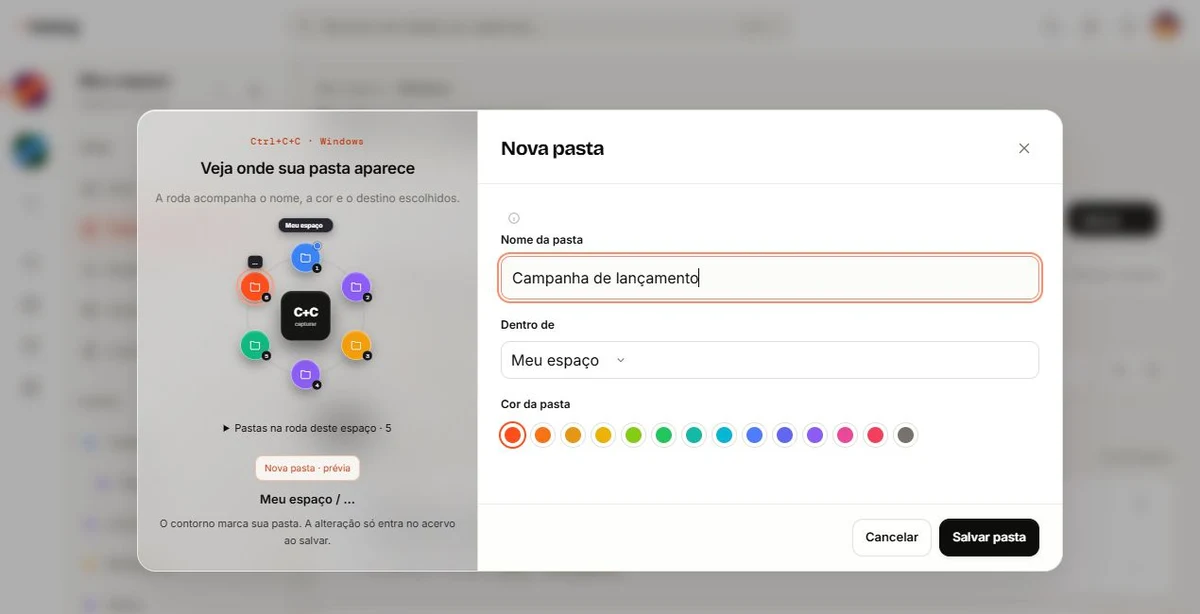
When creating a Twocy folder, choose its name, parent and color. The wheel preview shows its position before saving, including the path when the destination is a parent folder.
When a dedicated space helps you focus
A space makes sense when you want a separate library for an entire context. A client with briefs, references, approvals and drafts might need one while your personal library remains separate.
Twocy's space rail is on the left. Selecting a space changes the folders and captures shown in navigation. Each space has its own properties; general application settings use a separate button.
Consider how often you consult the context and whether separating it would simplify your work. The number of captures alone does not force a new space. A large folder can still be appropriate if finding things is easy.
Convert a folder without dropping everything into the Inbox
Open the folder menu, including its right-click menu, and choose the conversion to a space. Review the name, content and organization in the preview before confirming.
Immediate child folders become folders of the new space. Their own nested folders remain inside them. Captures stored directly in the original folder keep a folder with that name in the new space rather than becoming uncategorized Inbox items.
If the folder has captures but no subfolders, the result is a space with the chosen name and a same-named folder holding those captures. You gain a separate context without losing their existing classification.
You can also go back
If the context no longer needs its own space, use the reverse conversion in the space's properties and choose a destination space. Check the preview before finishing. This helps with both intentional reorganization and a separation that did not work out.
Conversion and sharing are different decisions. Pay attention to permissions, collaborators and private content when moving between contexts. Follow the preview and confirm who can access the destination.
The useful structure is the one you can maintain. Capture first, choose a folder when the subject is clear and separate a space when that makes work easier. The organization guide puts this into a daily routine.
Frequently asked questions
What happens to nested folders?
Immediate child folders become folders in the new space. Deeper levels remain organized within those folders.
Do direct captures move into the Inbox?
No. They keep a folder with the original folder name inside the new space. Check the preview before confirming.

Try it with something you want to save.
Choose a useful snippet, save it in the right context and find it again in your library.
Download Twocy