How to organize links and references for your projects
Save source URLs, record why they matter and organize project references without relying on open browser tabs.

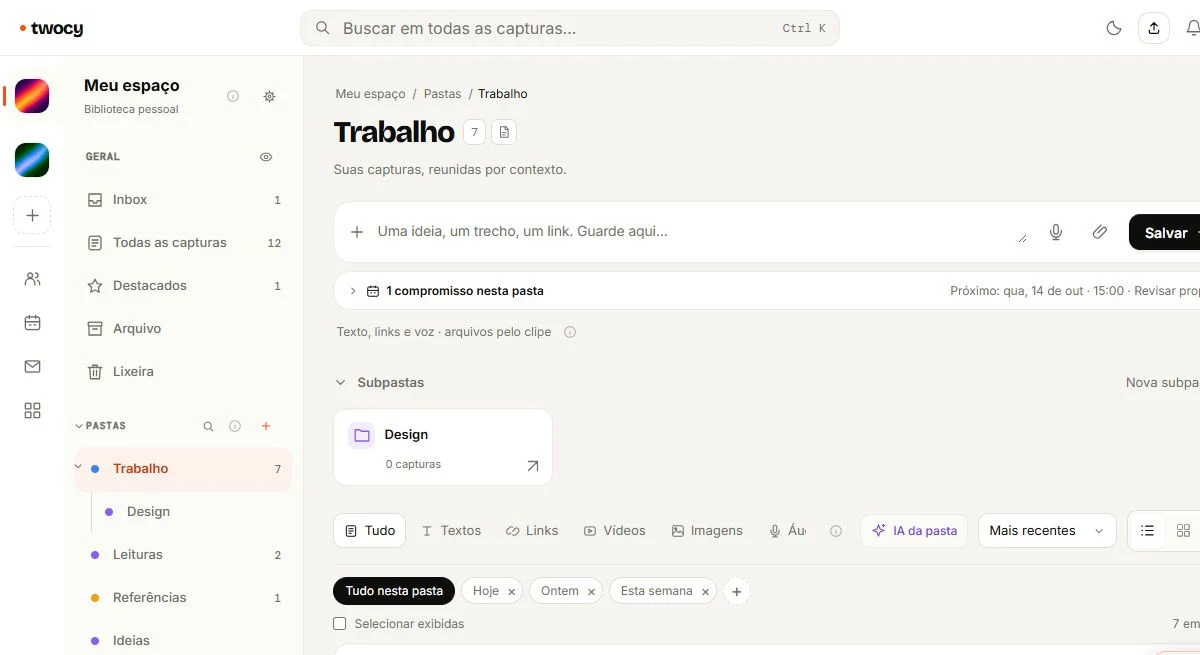
Organize links around the project or subject in which you will use them. Keep the original URL and add a short note about the useful part. Choose recognizable titles, a few meaningful folders and a review point for references that no longer help.
Save the reason, not just the URL
A collection of URLs gets difficult to use when the titles are vague or you cannot remember why you saved each page. Add one sentence about the section or idea that interested you.
“Sidebar navigation reference for the client dashboard” connects the source to a decision. “Nice website” does not. When you return to the project, the note helps you evaluate whether the reference still fits.
For a page with several ideas, record the relevant section or a short snippet and keep the source link. You generally do not need a full copy of someone else's article to explain why you saved it.
Choose destinations that match your work
Start with the project folder. A campaign might eventually need “Visual references,” “Audience research” and “Approved materials.” Create another division when it solves an actual retrieval problem.
A general “Design” folder may work for studying, but it mixes references for different clients. If a source belongs to a specific job, that project's folder is usually a clearer destination.
When a context grows and needs its own library, consider a space. The folders versus spaces guide explains both the choice and what conversion preserves.
Keep the source and verify the capture
Select or copy the page URL on Windows. With Twocy signed in, hold Ctrl and press C twice to choose a destination in the wheel. Alternatively, paste the URL into the web dashboard's quick capture field.
- Check that the URL points to the intended page rather than a search result or temporary address.
- Use a title that distinguishes it from other references on the same subject.
- Add why you saved it and where you might use it.
- Test the link when you return to the source.
A preview makes a link recognizable; it does not mean the entire page is archived. Websites may change, become private or disappear. For essential material, keep the necessary authorized file or snippet separately.
Review references when the project changes phase
Research can contain possibilities. Production needs a smaller selection that actually guides the work. At the end, keep reusable references and remove clutter that has lost its purpose.
Type filters can separate links from other captures, while search can use a project name or a word from your note. If a reference is hard to find, improve its title before adding more categories.
For team work, verify the destination's permissions. A public reference does not make the client's private comments or associated documents public.
Use a short rule: save with a reason, organize by context and review when the context changes. The central organization guide connects this with messages and notes.
A reference card template
Recognizable title:
Original URL:
Project or subject:
What is useful here:
Relevant section or snippet:
How this can help the work:
When should this be reviewed?
Frequently asked questions
Do I need a folder for every type of link?
No. Start with the project or context. Use subfolders when separating subjects makes the material easier to consult.
Does saving a link keep the page available?
No. Availability still depends on the original website. Keep essential authorized material separately when necessary.

Try it with something you want to save.
Choose a useful snippet, save it in the right context and find it again in your library.
Download Twocy